
CRM

One view per buyer. No data leak.

Built from orders and check-ins—segment, consent, and act without leaving Zunaro.

Get started
CRM
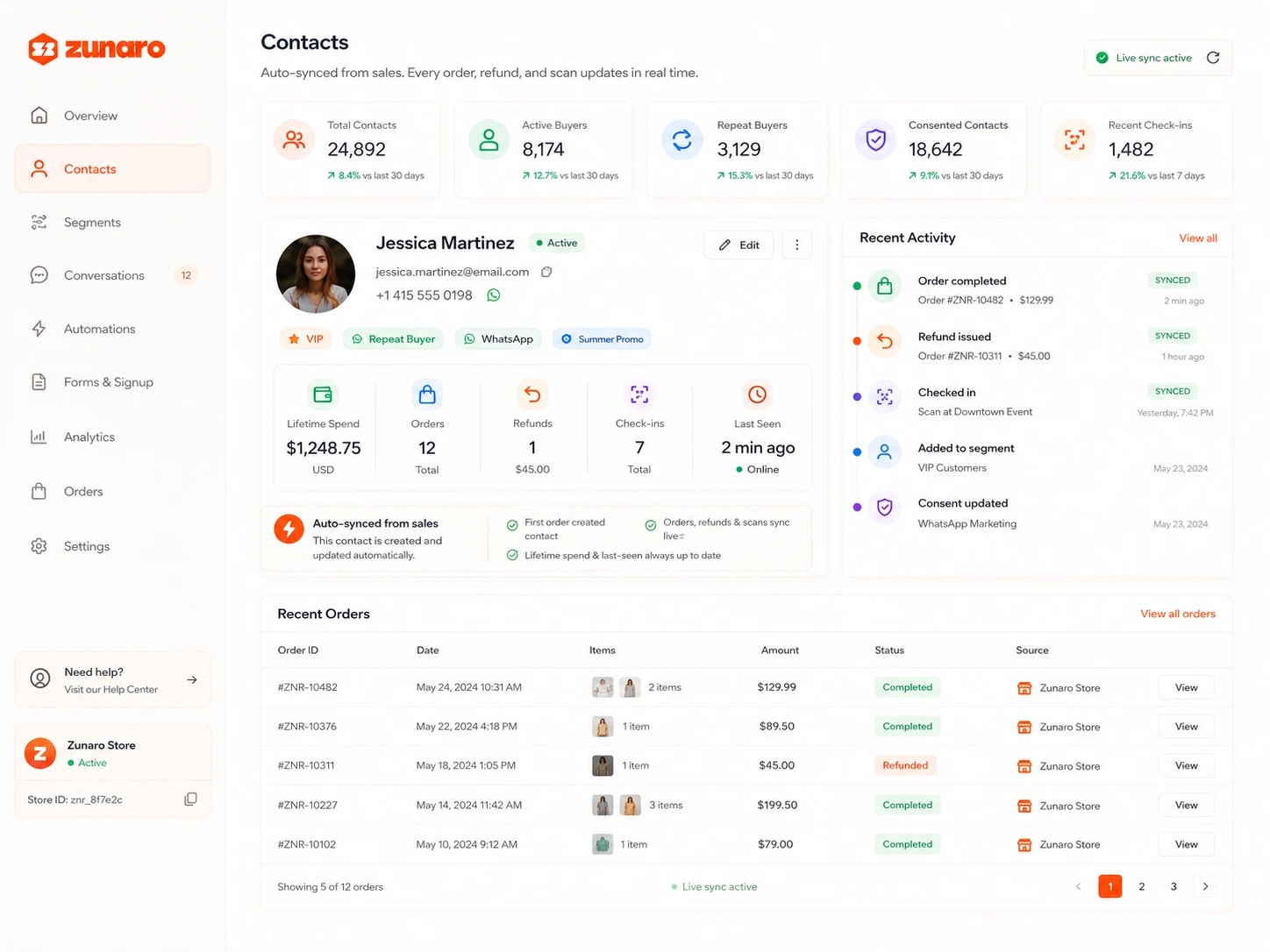
Zunaro CRM contact hub — total, active, repeat and consented contact counts plus recent check-ins, each against the last 30 days; a buyer profile (Jessica Martinez, VIP and repeat buyer) with email, phone and channel tags beside lifetime spend, orders, refunds, check-ins and last seen; a note that the contact is auto-synced from sales; a recent activity timeline marking each order, refund, check-in, segment and consent change as synced; and a recent orders table with amounts, statuses and source

The contact hub organizers actually use.

Auto-synced from sales.

First-order builds the contact; every ticket, refund, and scan updates lifetime spend, check-in count, and last-seen timestamp live.

CRM
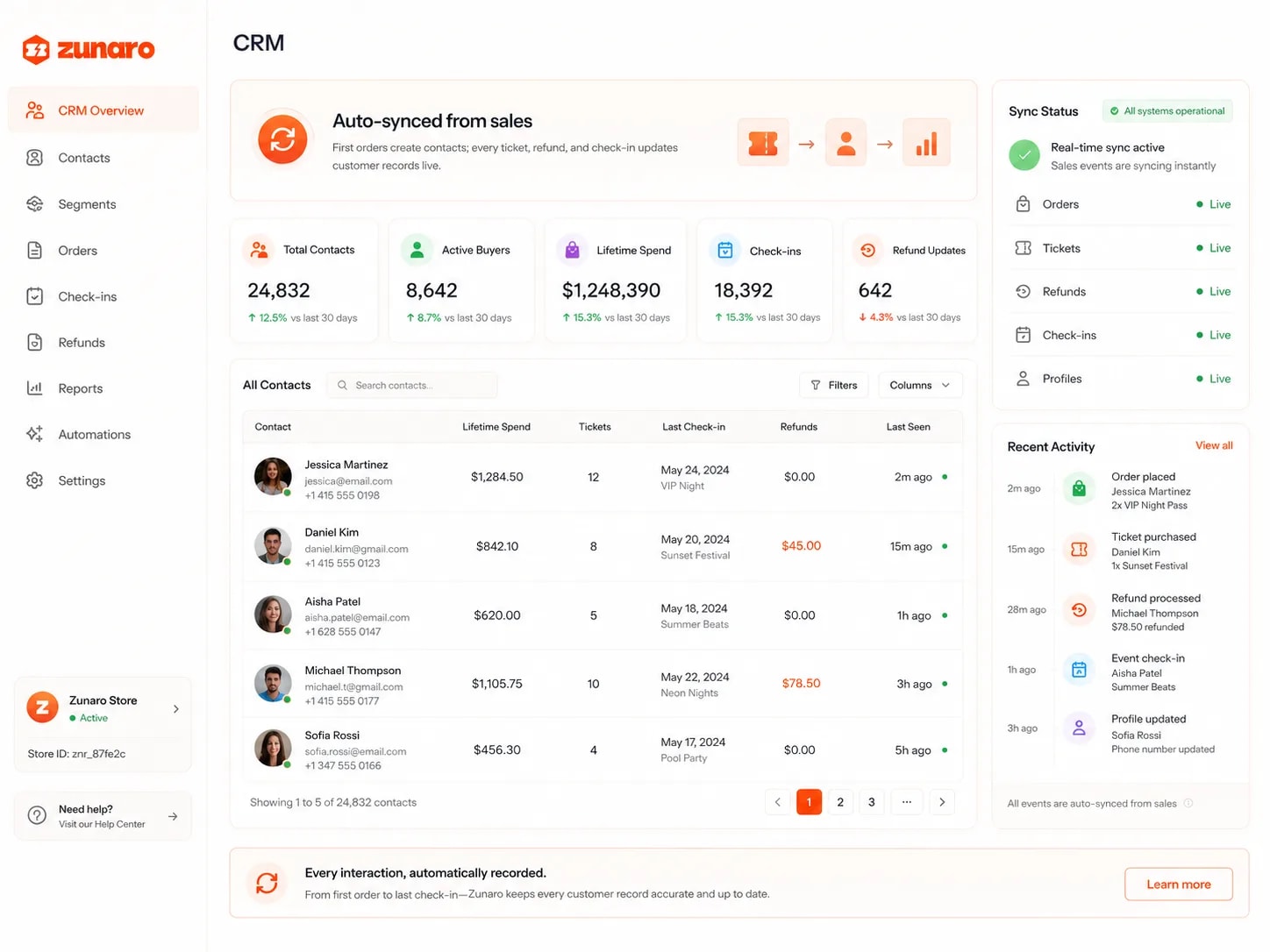
A CRM overview explaining that first orders create contacts while every ticket, refund and check-in updates the record — total contacts, active buyers, lifetime spend, check-ins and refund updates each against the last 30 days; a searchable contact table listing each buyer's lifetime spend, tickets, last check-in with event, refunds and last-seen time; a sync status panel showing orders, tickets, refunds, check-ins and profiles all live; and a recent activity feed of orders placed, tickets purchased, refunds processed, event check-ins and profile updates

Segment by any rule.

Nested, boolean conditions: spent ≥500 AND (subscribed OR tagged VIP), tested before send with sample counts.

CRM
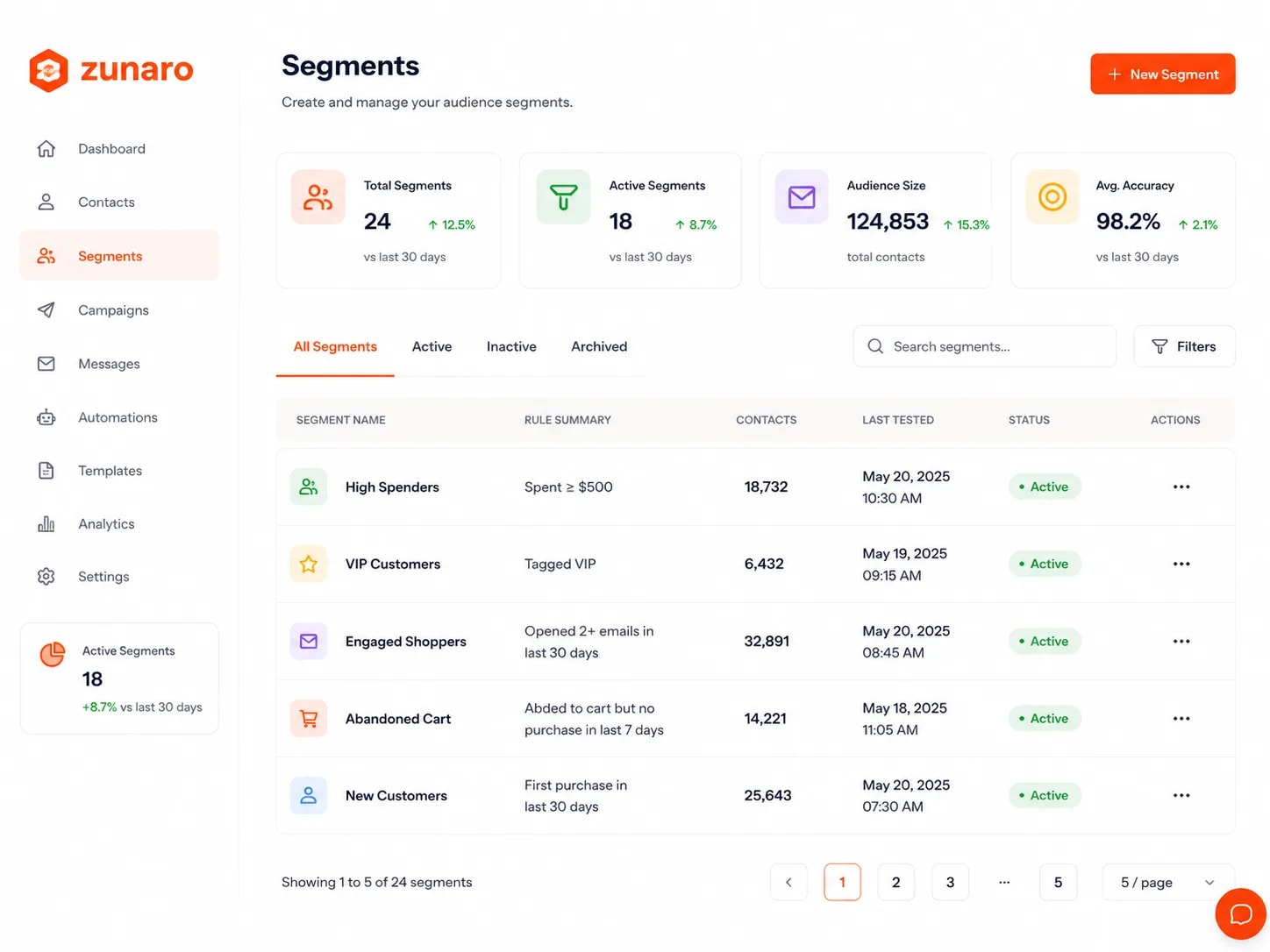
A segments list for managing audience segments — total segments, active segments, audience size across all contacts and average accuracy, each against the last 30 days; segments filtered by all, active, inactive or archived and searchable; and a table giving each segment its rule summary, matching contact count, last tested date and time, and active status — high spenders on spend at or above five hundred, VIP customers by tag, engaged shoppers on emails opened in the last thirty days, abandoned carts, and new customers on first purchase

Consent wired in.

Marketing consent, do-not-contact, and newsletter state on every contact; campaigns honor each flag; unsubscribe links hard-suppress idempotent.

CRM
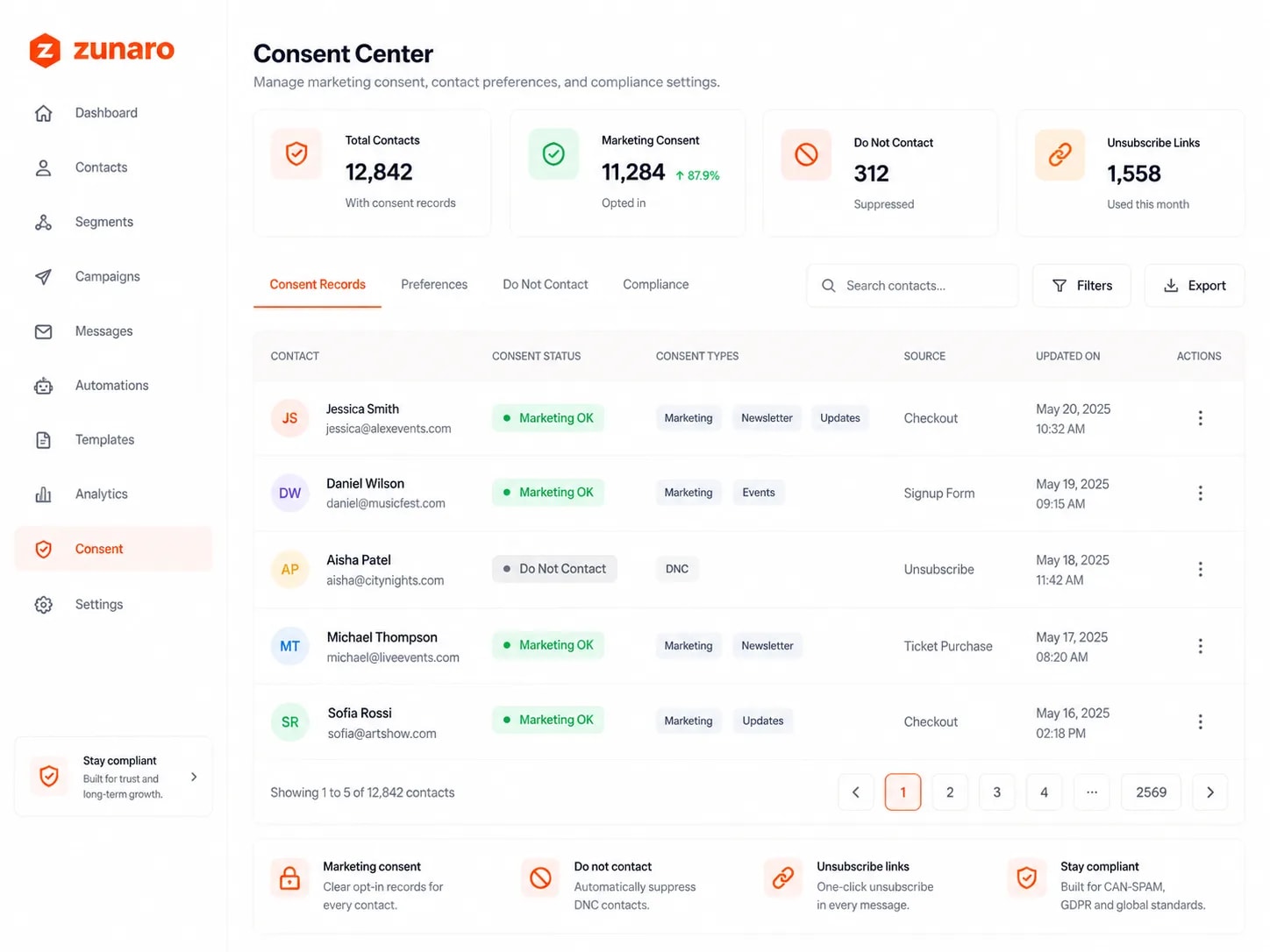
A consent centre for marketing consent, contact preferences and compliance settings — contacts holding consent records, how many are opted in to marketing, how many are suppressed as do-not-contact, and unsubscribe links used this month; tabs for consent records, preferences, do-not-contact and compliance with search, filters and export; and a table giving each contact their consent status, the consent types they hold (marketing, newsletter, updates, events or DNC), where consent came from — checkout, signup form, ticket purchase or an unsubscribe — and when it was last updated

Tags make segments real.

Hand-tag contacts in bulk (VIP, comped, speaker), add notes, and filter campaigns by tag without leaving the contact list.

CRM
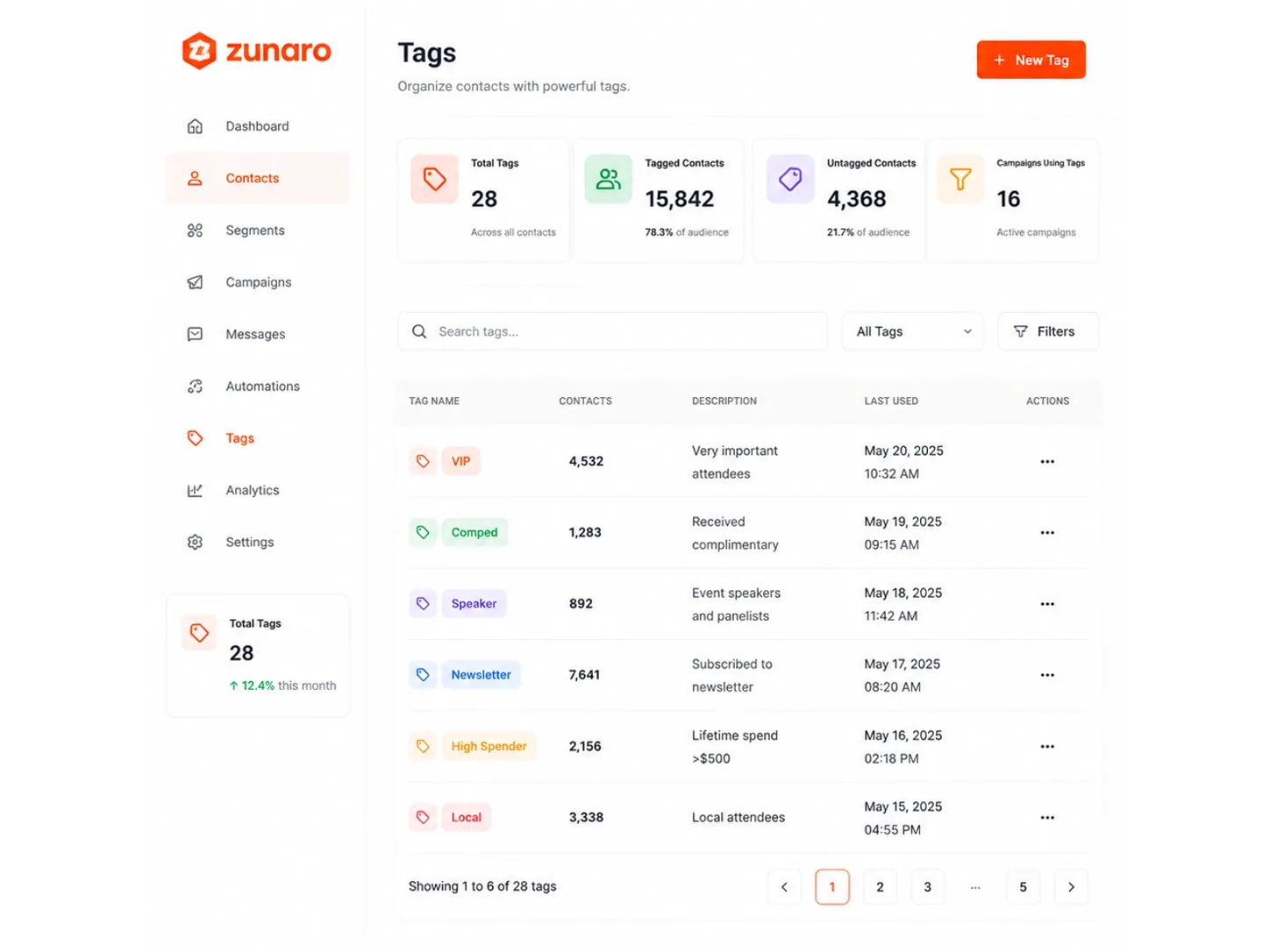
A tags list for organising contacts — total tags across all contacts, how many contacts carry a tag and what share of the audience that is, how many remain untagged, and how many active campaigns filter by tag; tags searchable and filterable; and a table naming each tag with the number of contacts on it, what it means and when it was last used — VIP for important attendees, comped for complimentary tickets, speaker for event speakers and panellists, newsletter for subscribers, high spender for lifetime spend over five hundred, and local for nearby attendees

Start with 14 days of Premium, for free.