
Conferences

Tiers, badges, and real-time entry.

Multi-tier access, digital badges, gate scanning—attendee data owned by you.

Get started
Conferences
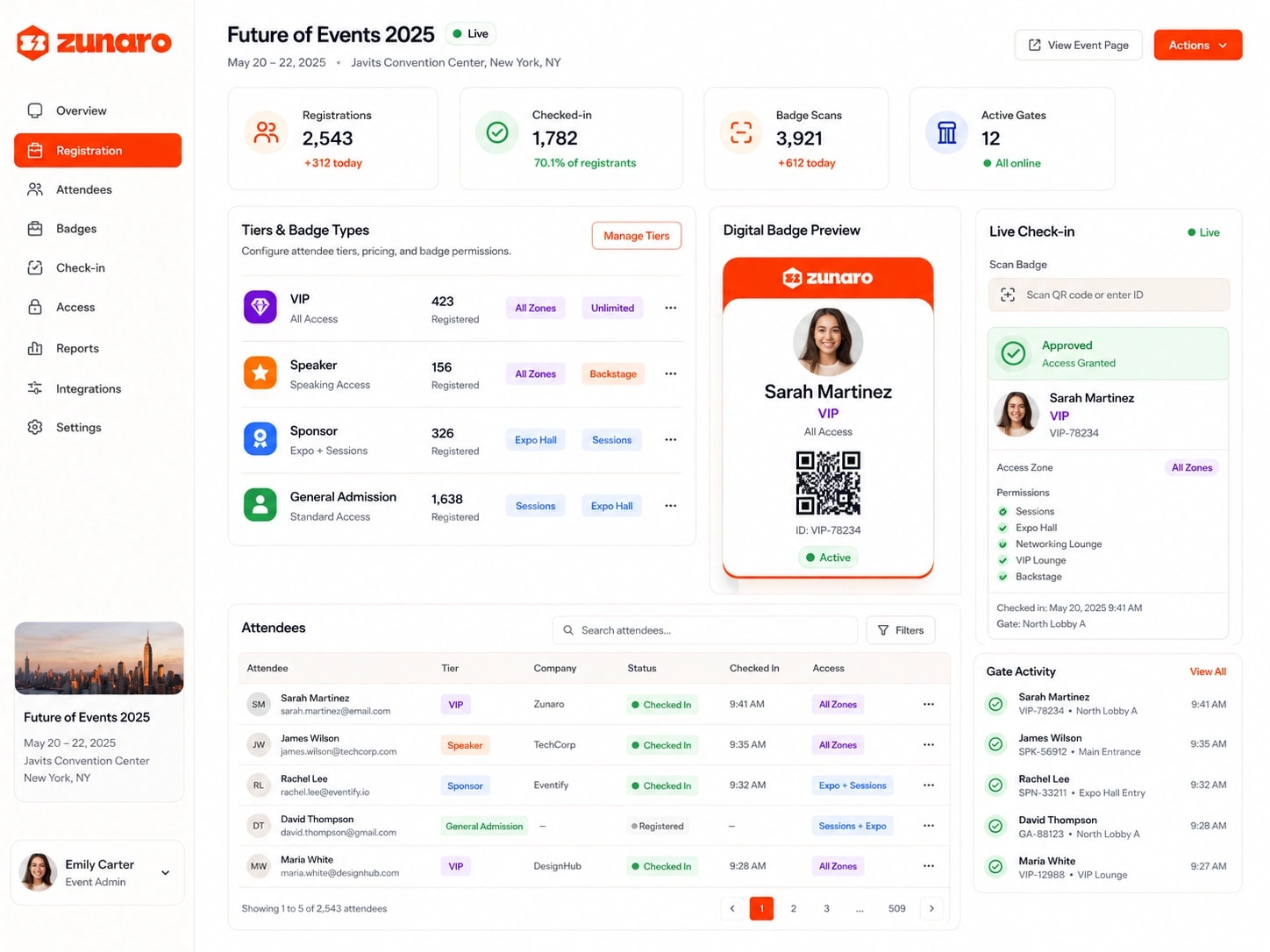
Zunaro conference registration for Future of Events 2025 — live registration, check-in, badge-scan, and active-gate counters, VIP/Speaker/Sponsor/GA tiers with zone permissions, a digital badge preview with QR code, a live check-in panel granting access, an attendee table with tiers and status, and a gate activity feed

Registration built for event operators.

Tier access, no custom forms.

Early Bird, Standard, Premium—each is a ticket type with its own price. Perks vary by tier; attendee fields live on the order, no extra registration steps.

Conferences
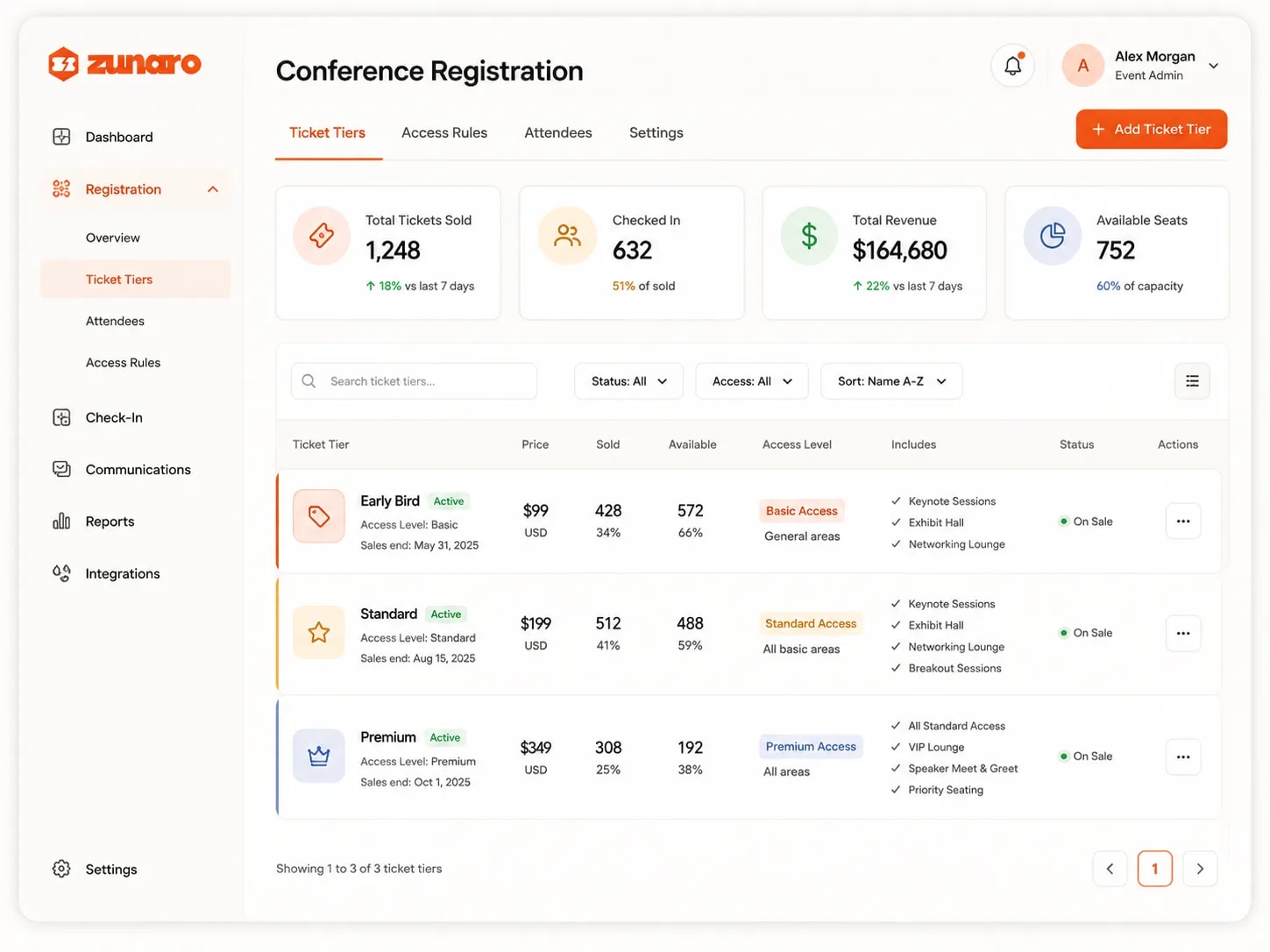
Conference registration open on its ticket tiers — total tickets sold, how many of those have checked in, revenue taken and seats still available; then Early Bird, Standard and Premium listed side by side, each an ordinary ticket type with its own price, sales end date, sold and remaining counts, access level from basic through standard to premium, and the perks it includes — keynote sessions and exhibit hall on every tier, breakout sessions from standard, VIP lounge, speaker meet and greet and priority seating on premium — all on sale, with tabs for access rules, attendees and settings alongside

Badges auto-rendered.

E-tickets render custom layouts: name, company, QR badge-code, sponsor logos. Design once; every attendee PDF auto-populates from their order—no manual printing.

Conferences
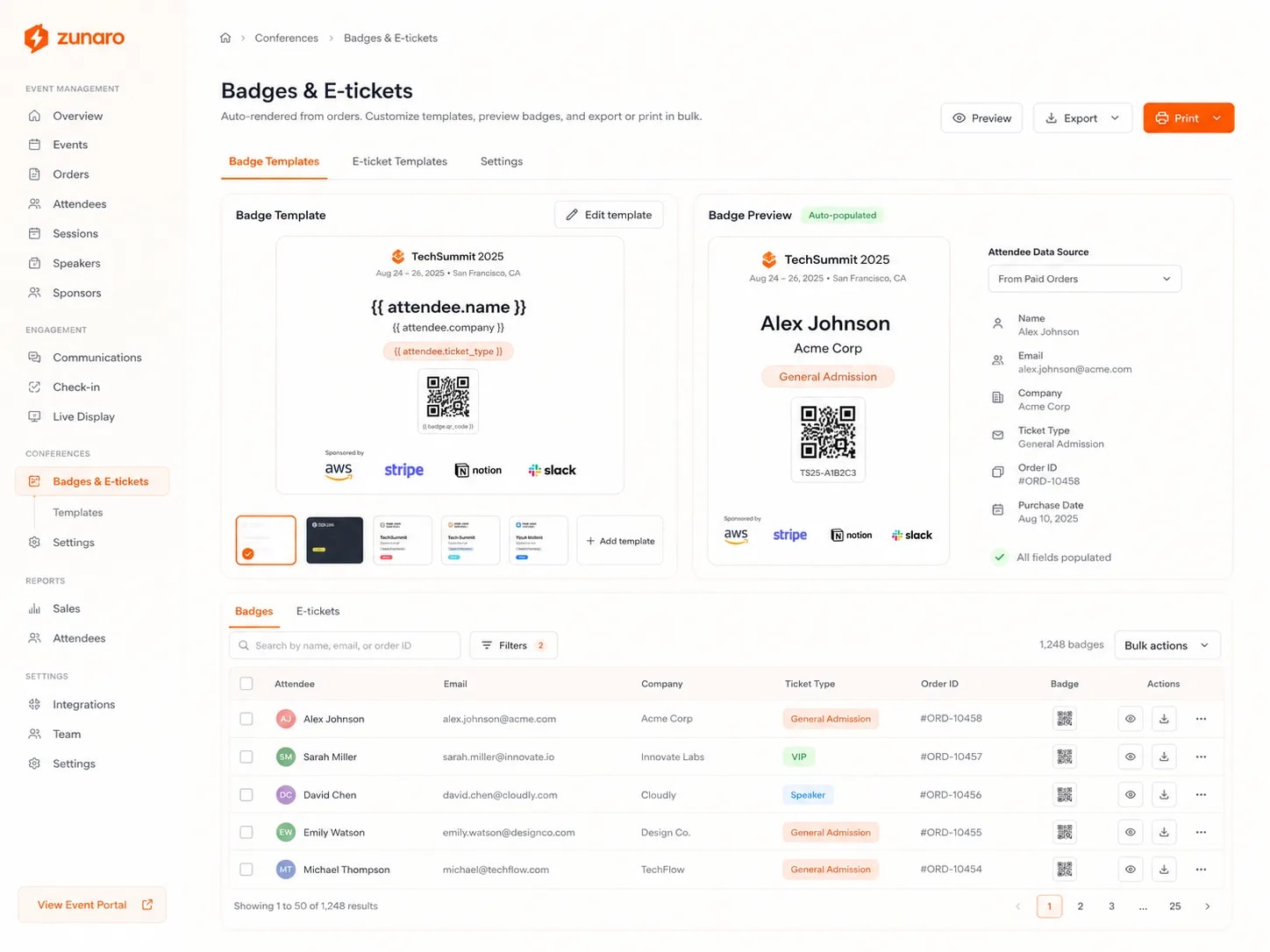
Badges and e-tickets auto-rendered from orders — a badge template laid out with placeholder tokens for attendee name, company and ticket type above a QR badge code and a sponsor strip, a row of saved templates to switch between, and beside it the same badge previewed with a real attendee's details filled in from their paid order, listing the name, email, company, ticket type, order number and purchase date it drew on and confirming every field populated; below, a searchable, filterable table of all badges with each attendee's email, company, ticket type and order, a badge thumbnail and per-row preview, download and more actions, plus bulk actions and buttons to preview, export or print in bulk

Scan to check in.

Kiosk or scanner at entrance—tap QR and status flips to checked in with live timestamp. Real-time reports show session capacity and overflow routing instantly.

Conferences
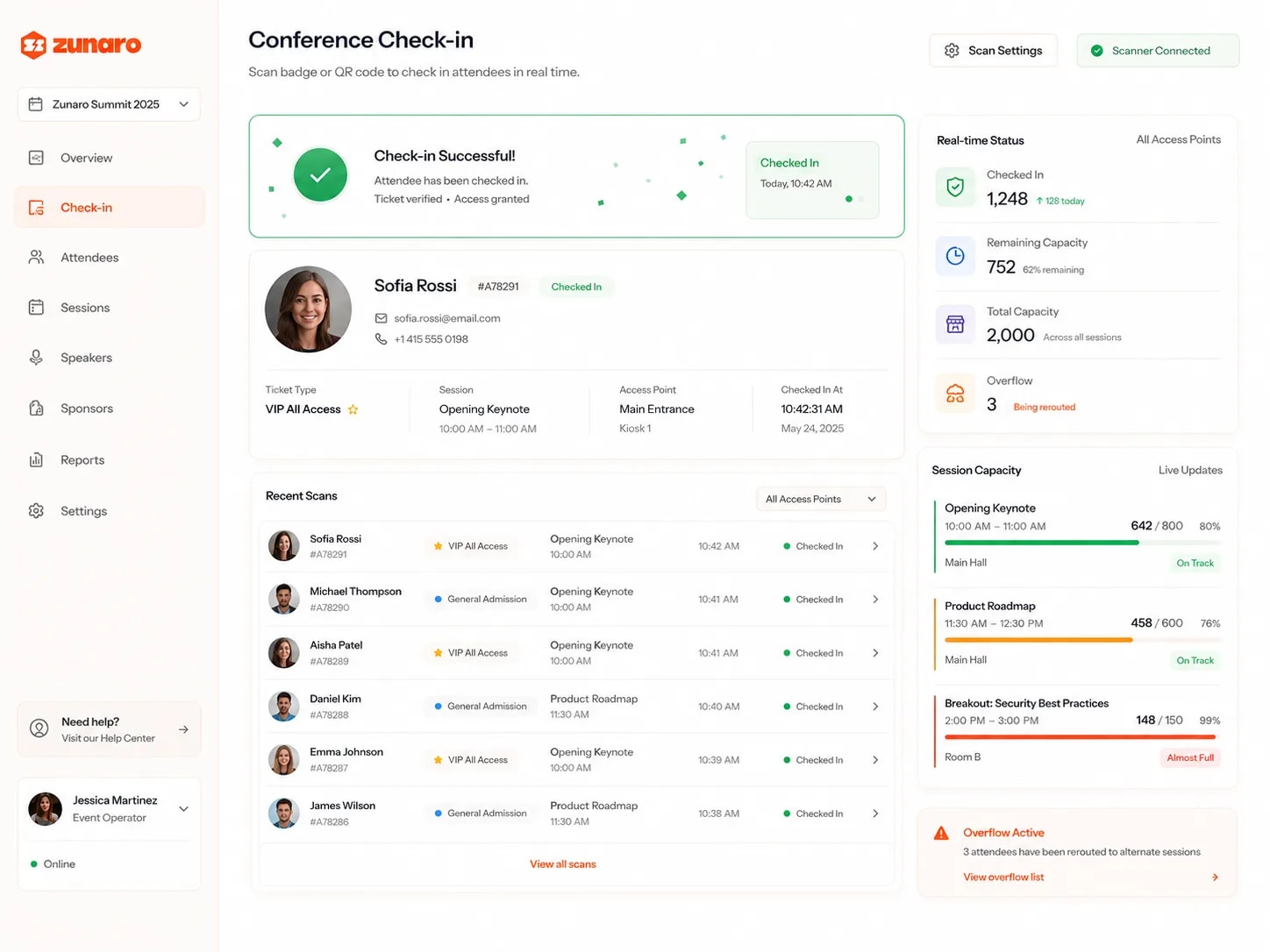
Conference check-in with a scanner connected — a badge just scanned, confirming the ticket verified and access granted with the time it flipped to checked in; the attendee's record beneath it showing their photo, contact details, ticket type, the session they entered, which access point and kiosk admitted them and the exact timestamp; a running list of recent scans naming each attendee, their pass type, the session and the minute they entered; and live counts of everyone checked in, remaining and total capacity across sessions, with per-session progress bars marking the keynote and roadmap on track and a breakout almost full, and a warning that three attendees are being rerouted to alternate sessions

Attendee capture stays yours.

Order email becomes the contact record; tag by tier or interest, build post-event segments. No third-party platform owns the data—just you and your audience.

Conferences
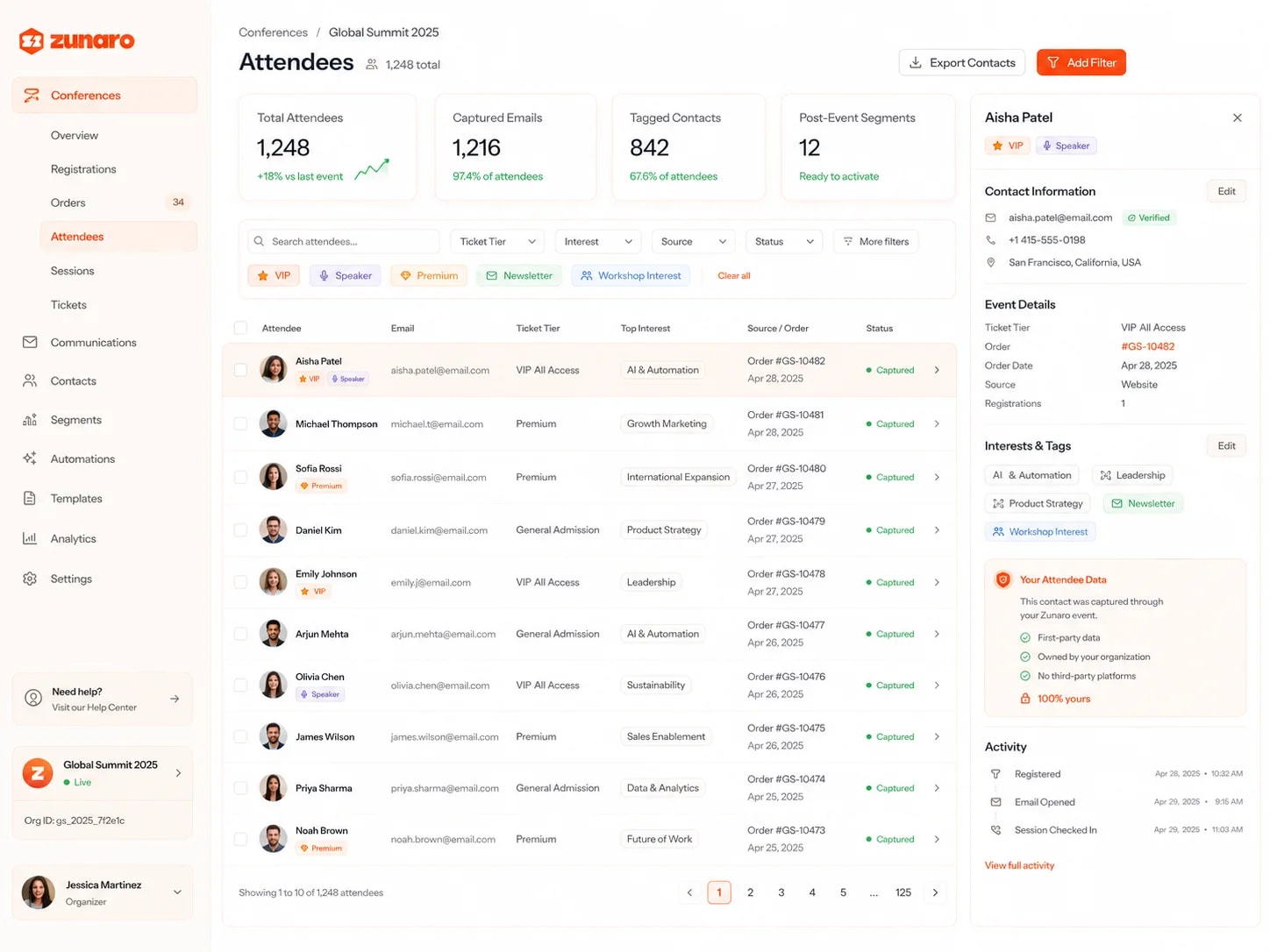
A conference attendee list built straight from orders — total attendees, how many emails were captured and what share of the room that is, contacts already tagged, and post-event segments ready to activate; attendees filterable by ticket tier, interest, source and status or by quick tags for VIP, speaker, premium, newsletter and workshop interest, each row pairing a name and email with their tier, top interest, the order that created the record and a captured status; and one contact opened alongside, showing verified contact details, the order, date and source behind it, the interests and tags on it, its registration and email-open and session-check-in activity, and a panel confirming the contact was captured through the organizer's own event — first-party data, owned by the organization, no third-party platforms

Start with 14 days of Premium, for free.